
 By snap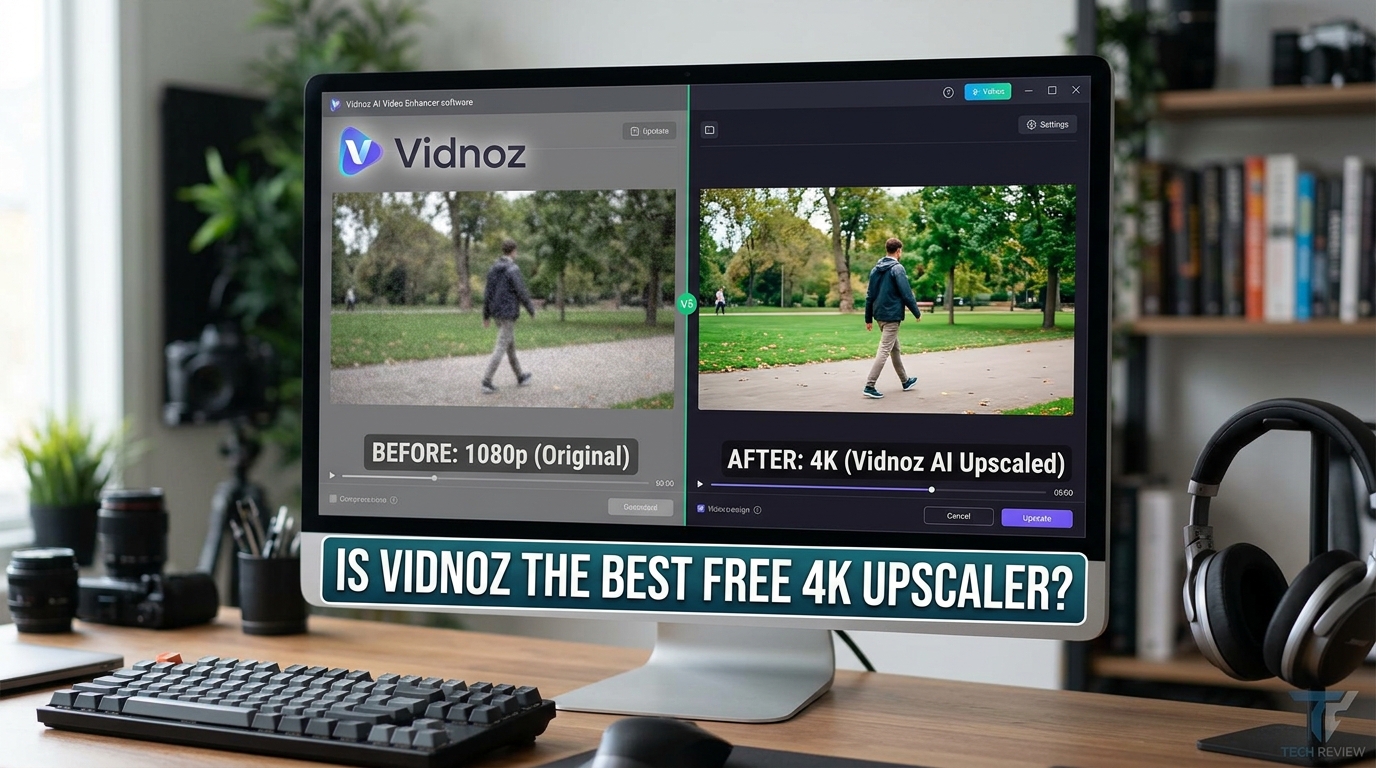
Introduction
Low-resolution videos often ruin our modern viewing experience on high-definition screens. Fortunately, artificial intelligence now provides a quick fix for grainy footage. This Vidnoz AI Video Enhancer review explores a popular tool that promises to upgrade your content effortlessly. Many creators want to know if this software truly delivers on its bold claims. In this article, we will analyze its features, performance, and actual output quality.
Furthermore, high-resolution screens expose every single flaw in older media files today. Viewers quickly lose interest when they encounter pixelated images on modern platforms. Therefore, content creators constantly seek reliable methods to modernize their existing video archives. This detailed assessment will determine if this specific tool fulfills those demanding creative needs.
What is Vidnoz AI Video Enhancer?
Vidnoz developed this online tool to improve video quality automatically through advanced machine learning algorithms. Users can upscale their old or blurry clips without downloading heavy software. Additionally, the cloud-based system handles all complex mathematical equations on remote servers. This setup prevents your personal computer from slowing down during intensive rendering tasks.
Key Features
-
Automatic Upscaling: The system increases resolution up to 4K without requiring manual adjustments.
-
Noise Reduction: It removes annoying grain and artifacts from low-light recordings effectively.
-
Color Correction: The software automatically boosts brightness, contrast, and color saturation levels.
Detailed Feature Analysis
Understanding the specific capabilities of this application helps creators determine its value for daily video production needs.
Intelligent Resolution Boosting
The core engine analyzes pixels across frames to insert new visual data accurately. Therefore, it converts standard definition footage into high-definition formats smoothly. This function works particularly well for web content creators who need crisp presentation standards.
Moreover, the artificial intelligence predicts missing details by studying surrounding pixel patterns over time. This predictive technology avoids the blocky distortion typical of traditional enlargement methods. Consequently, the final output looks remarkably natural instead of artificially stretched or pixelated.
Frame Sharpness Optimization
Blurs often occur due to camera shake or poor lens focus during recording. Consequently, the software applies targeted edge enhancement to make lines crisp. This mechanism successfully separates foreground subjects from background elements without creating harsh outlines.
Furthermore, the sharpening algorithm focuses intensely on human facial features during processing. It enhances eyes, hair texture, and skin tones without creating an artificial plastic appearance. This subtle balancing act separates superior restoration tools from mediocre video filters.
How Does the Enhancement Process Work?
The platform uses a highly intuitive interface that caters to beginners and professionals alike. You can start improving your media files within seconds.
Step-by-Step Processing Guide
-
Upload Your File: Drag and drop your video directly into the web browser interface.
-
Select Enhancements: Choose your desired output resolution and specific improvement settings.
-
Process and Download: Let the artificial intelligence analyze the frames, then save your new video file.
Testing the Performance: Does It Deliver?
We tested several low-resolution clips to see how the application handles different types of visual noise. The results showed noticeable differences depending on the original source file.
Enhancing Old Home Videos
Old family videos usually suffer from extreme blurriness and terrible lighting conditions. The tool significantly sharpened the blurry edges of faces and objects in our tests. Furthermore, it balanced the uneven lighting across the background quite well.
However, highly degraded analog tapes with severe tracking errors presented a major challenge. The algorithm could not completely restore sections where the original visual data had completely disappeared. Nevertheless, the general viewability of the family footage improved dramatically after processing.
Upscaling Gameplay Footage
Gamers frequently want to turn their 1080p stream recordings into crisp 4K content. The software successfully enhanced text readability and fine textures during our gaming tests. However, fast-moving action scenes occasionally showed slight motion artifacts.
On the other hand, slower role-playing games looked absolutely spectacular after the rendering finished. The rich environmental textures and detailed armor designs gained immense depth through the process. Thus, gaming enthusiasts will find great value in this application for archiving clips.
Deep Dive into User Interface Design
A software application relies heavily on its user interface to attract mainstream consumers. Fortunately, the development team prioritized minimalistic aesthetics throughout the entire website design layout.
Accessibility for Starters
New users do not need prior video editing experience to navigate the dashboard successfully. The system presents large, clearly labeled buttons that explain each step of the process. Consequently, you will never feel overwhelmed by complex jargon or confusing nested menus.
Advanced Settings Limitations
In contrast, experienced editors might find the simplified interface somewhat limiting for complex projects. The platform lacks granular controls for specific color channels or manual noise threshold adjustments. Therefore, you must trust the automatic algorithms to make creative decisions for your footage.
The Pros and Cons
Every software tool has strengths and weaknesses that you should consider before creating an account. Here is what we discovered during our testing process.
The Upsides
-
The web-based platform requires absolutely no installation on your local computer.
-
It processes short video clips remarkably fast compared to traditional rendering software.
-
The basic features remain completely free for casual users right now.
-
It supports multiple popular output formats to ensure broad device compatibility worldwide.
The Downsides
-
You need a very strong internet connection to upload large video files smoothly.
-
Free users face specific daily limits on video length and total file size.
-
The processing speed drops noticeably when the global server traffic peaks during daytime.
Comparative Analysis: Online vs. Desktop Upscaling
Web tools offer immense convenience, but users must understand how they compare to traditional desktop applications.
Processing Power Differences
Cloud servers handle all the heavy rendering tasks for this online enhancement tool. Thus, users do not need expensive graphics cards to achieve higher resolutions. Conversely, desktop software utilizes local hardware to provide more detailed customization options over long files.
If you own an older laptop, cloud processing saves your machine from overheating completely. It removes the hardware barrier that previously prevented budget creators from producing 4K media. Therefore, this web service democratizes high-quality video production for internet users everywhere.
Workflow Efficiency
The online interface allows users to initiate video processing from any device instantly. As a result, you can manage your video project while moving between different workstations. This flexibility represents a major advantage for fast-paced social media managers today.
Instead of waiting at a specific desk, you can check progress using your smartphone. Once the cloud server finishes rendering, you can download the clip directly to your phone. This seamless mobility matches the rapid demands of modern content creation workflows perfectly.
Exploring Alternative Options in the Market
While evaluating this platform, consumers should examine competing tools currently available in the digital marketplace. Several alternatives provide different feature sets that might suit specific editing styles better.
Topaz Video AI comparison
Topaz Video AI remains the industry standard for professional filmmakers seeking maximum control. However, that software requires a hefty one-time purchase fee and immense local processing power. Vidnoz wins easily when users prioritize financial savings and immediate accessibility over advanced features.
CapCut AI Enhancer comparison
CapCut offers integrated editing features alongside its basic video enhancement tools inside their app. Yet, Vidnoz specifically focuses its engine on resolution upscaling accuracy above everything else. Consequently, Vidnoz generates sharper details on facial close-ups during direct side-by-side video comparisons.
Monetization and Subscription Plans
Although the platform offers free services, understanding the paid tier structure helps long-term planning. Premium accounts unlock additional processing speed and remove restrictions entirely.
Free Tier Limitations
The free version allows users to test the core features without inputting credit card information. However, you will encounter restrictions on maximum video length and daily output allocation limits. Additionally, peak hours might force free users into a waiting queue for server access.
Premium Plan Value
Subscribing to a premium tier eliminates watermarks and grants priority access to high-speed cloud rendering. For professional creators, this subscription easily pays for itself by saving valuable production time daily. The pricing remains highly competitive when compared to expensive desktop software licenses.
System Requirements and Technical Constraints
Even cloud-based software depends on certain technical parameters to ensure a smooth operating experience. Users must verify their digital environment before attempting to process massive video files.
Web Browser Compatibility
The platform runs optimally on modern web browsers like Google Chrome, Mozilla Firefox, and Safari. Older browser versions might experience script errors during the secure file upload phase. Therefore, keeping your internet browsing software updated ensures maximum stability during rendering sessions.
Bandwidth Prerequisites
Because you must transfer entire video files, internet upload speeds dictate your overall project timeline. Users with basic broadband connections might experience long upload delays for large files. Consequently, using a wired internet connection optimizes the platform performance significantly for creators.
Vidnoz AI Video Enhancer Review: The Final Verdict
Consequently, we must answer the ultimate question regarding this web-based application. Is it truly the ultimate option for upgrading your video files for free?
Ultimately, this tool provides an excellent, user-friendly solution for quick enhancements and casual projects. It delivers impressive sharpness and color adjustments without charging a single penny upfront. However, professional filmmakers might still prefer advanced desktop software for maximum control over fine details. You should definitely try it for your personal video collection today.